Copyright and Fair Use & OA and OER

The one thing I did not do in library graduate school was to spend a lot of dedicated time on copyright and other related issues. I’m definitely feeling the crunch, particularly in light of the open access (OA) and open educational resources (OER) movements in higher education. Over the summer, I was very impressed with the University of  Maryland University College‘s move to open digital resources for undergraduate education. Here is Barbara Fister’s overview of recent developments in OA during Open Access Week this past fall. Adding to the recent developments in OA that Fister lists, just today I read that the Oberlin Group, with the backing of liberal arts colleges, launched Lever Press.

In the CJCLS listserv this fall, someone posted the following report, “Opening Public Institutions: OER in North Dakota and the Nation, 2015,” and asked where all the community college librarians were in helping to lead OA/OER on their campuses. Here are some resources some people shared from that listserv, as well as some resources from a question about open textbooks from the ILI listserv:

Affordable Learning Georgia

College Open Textbooks

Lansing Community College’s OER Summit

Lansing Community College’s OER LibGuide

Northwestern Michigan College OER LibGuide 

Open Textbook Library

University of Maryland University College OER LibGuide

OA and OER are subjects I follow, but not to the degree I would like. One of the challenges is that our community college is not part of the Community College Consortium for Open Educational Resources, but according to the website “[i]ndividuals, whether they represent Consortium members or not, are welcome to use and modify materials and resources found on this website, and to participate in webinars and other Consortium activities.” I just got added to the CCCOER Advisory Google Group, so I hope to gain more knowledge. They also have a YouTube channel. I suspect that with the push for distance education in our college district, and some of the buzz that was generated by a student leader about open textbooks to the Academic Senate, we will become more involved. As the newer librarian two years away from tenure, it’s difficult to broach these subjects, but I am preparing. In fact, I took an online “how to teach an online” class this past fall with other faculty members more to see what the faculty were saying regarding content for courses, etc. There is a need for OER there.

Someone also pointed me to SPARC, the Scholarly Publishing and Academic Resources Coalition.

Here are some relevant conferences. The 12th Annual Open Education Conference was in Vancouver this past November, so I plan to take a gander at the website for #OpenEd2015. I was really bummed that San Jose State University’s one-day Open Access Conference 2015 was during a planned mini vacation. I will be on the lookout for this year’s conference dates.

I definitely also need to carve out time to watch the Blended Librarian recorded webcast On Becoming Open Education Leaders. Librarians really are in the fantastic position to lead the movement, and there are some college’s that have specific OER/OA librarians. How neat!

(As I was finishing up this post, someone posted about Project CORA, Community of Online Research Assignments: An Open Access Resource for Faculty and Librarians. I am so excited! This “library” will really enhance my information literacy instruction work!)

Another thing I have been meaning to do over the winter break is to start the the Coursera course Copyright for Educators and Librarians (librarians are educators, but okay). I still have time to begin  before I go back to work, though.

I sense a theme among some of the links I’ve been collecting over the last few months, as well.

Code of Best Practices in Fair Use for the Visual Arts

Code of Best Practices in Fair Use for Online Video 

Digital Media Law Project’s Fair Use webpage

The Berkman Center for Internet & Society and Electronic Information for Libraries (EIFL)‘s Copyright for Librarians

I also find BYU’s Copyright 101 modules to be helpful. The videos don’t really look modern, but they now have captions!

Refocusing Information Literacy Instruction Under the Framework: Changes & Challenges Presentation

In early December,  I gave a 30 minute presentation, Refocusing Information Literacy Instruction Under the Framework: Changes and Challenges, followed by a 20-minute question and answer session. The link opens to a Google Slides presentation. You can find the works I consulted for this on the last two slides. For more information about the threshold concepts, please see:

ACRL. (n.d.). Annotated bibliography of threshold concepts. Retrieved from http://www.ala.org/acrl/issues/infolit/teaching/thresholdbib

This is a significant presentation in that it is my first academic presentation on an aspect of librarianship. Sure, I do presentations and teaching sessions for students, presentations on introducing library services to new part-time faculty during orientations, and I have taught with a colleague about Google Drive and Google Tools for back-to-work professional development sessions, but this was different because it was presented to library staff and librarians outside the college where I work.


Community Giving & World Relief

This isn’t a library post, but we librarians sure love our communities—the ones we work with and the ones we live in.

With Thanksgiving and the Christmas season around the corner, I have a lot on my mind, but not parties, presents, and pleasantries. I have been thinking about people in distress in my local community and about the Syrian refugee crisis and what we can do to help. (Even before the American backlash after the Paris attack, I followed the refugee story. A few years ago, I read The Story of My Life: An Afghan Girl on the Other Side of the Sky, and I became very interested in refugees around the world. )

My husband and I are very big proponent of giving our finances and time. For both college and graduate school, I received scholarships from donors, so I give to both my alma maters, California State University Stanislaus (I also work here part-time) and San José State University, and I also give to the community college I work for, Merced College.  I don’t talk about this much, but we also give to our church, Crossroads Church, so that we can help carry out the work to assist people in need.  We also give to the Modesto Gospel Mission, a local homeless shelter, and to Second Harvest Foodbank of San Joaquin and Stanislaus Counties. And if my bio says NPR listener, you bet I give to Capital Public Radio. We also do various one-time donations for issues that come up throughout the year.

Regarding the refugee situation, I wanted to highlight World Relief Modesto, another organization we donate to. World Relief helps resettle refugees that are placed in Modesto. My first encounter with World Relief was actually seeing them in action in the community when I was working part-time at my local library, Stanislaus County Library. A World Relief volunteer was showing an Ethiopian man the public library. I was so impacted that I, at one point, applied for a job with World Relief. I didn’t get the job, mostly because they knew how much I loved libraries. I really believe in the work they do. If you can give to a similar organization in your area, please do!

What causes, charities, or other groups do you donate your time or finances to? What issues are close to your heart? Besides libraries, of course.

October 2015 Library Displays

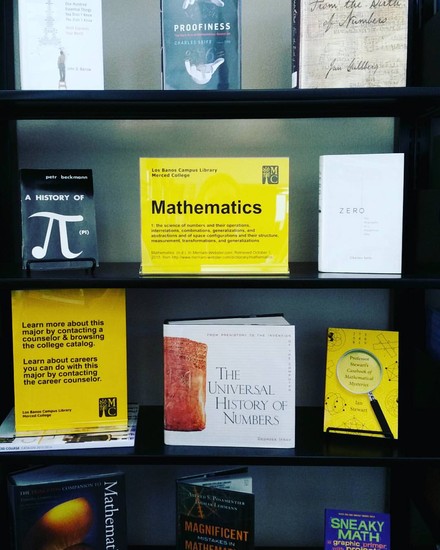
In October, I had two Major Idea displays (see the August 2015 Library Displays post to learn more about what this is), one about math and another about English, which focused on fairy tales as a theme to explore literature studies.

English

Mathematics

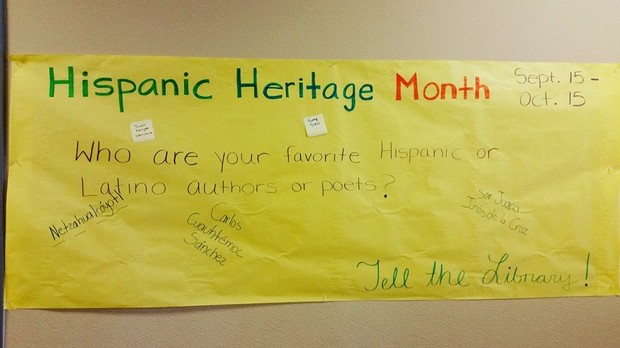
October 15th was also the end of Hispanic Heritage Month. See the September 2015 Library Displays post about it here..

I also put together a quick display for Breast Cancer Awareness Month, which included directions for conducting a breast self-exam in both English and Spanish. I snagged up the instructions during an event our campus had last year that had booths from the community, including the local health center.

Breast Cancer Awareness Month

One of our part-time evening librarians put together our Halloween display this year, for which I am very grateful. Here’s the online flyer I made for her display. Since I have more people to rely on in the library and now know what can be delegated, it’s been fun to see others’ creativity.

Halloween

October is always the beginning of research paper season around here, so it’s been busy! I’ll have to share more about that soon.

Introduction to Teaching Online

I’ve been a little quiet on here. At the end of September I started a month-long online class through @One, Introduction to Teaching Online. The course is being offered through the college I work for and is supported by a grant from the Chancellor’s Office, California Community Colleges.

While I don’t teach the three-unit library research course, the main campus offers two sections, although neither are taught online. For the way my load is (the only librarian during the day), it would work better for me to teach it online, but it would need to get approval through curriculum, etc. I am just starting my third academic year, and it’s only now that I feel like I am ready to add a credit course to my load.

I am also using the class to see what our online instructors needs are regarding library or related services (I did my entire Masters program online, so I already had ideas) and to remind the other faculty members taking the class with me (all the people in the class teach for Merced College) that librarians are faculty. I have been able to market LibGuides and the Library’s soon-to-be-realized Blackboard presence (it will still be in baby mode, but I’m hoping we can work with our faculty lead to make it a bit more robust). One of the math teachers has been very encouraging as I figure out how to approach teaching an entire course since I have only ever taught one-shot research sessions. The class has also has served as a good reminder about effective teaching practices. I can definitely see how taking the class would help give even face-to-face courses a lift. I honestly would love to do the entire certification program.

My class ends next week, and I’m happy because it means I can get a little more sleep. My daily commute is about 2 hours and 45 minutes round trip, and I’m also trying to hit the gym a couple of nights a week. The only thing holding me together is my husband Kory. He has days off in the middle of the week, and while he has always helped a ton, including 99.9 percent of the cooking, he seems to have kicked it up that much more. He is very supportive, and I am grateful.

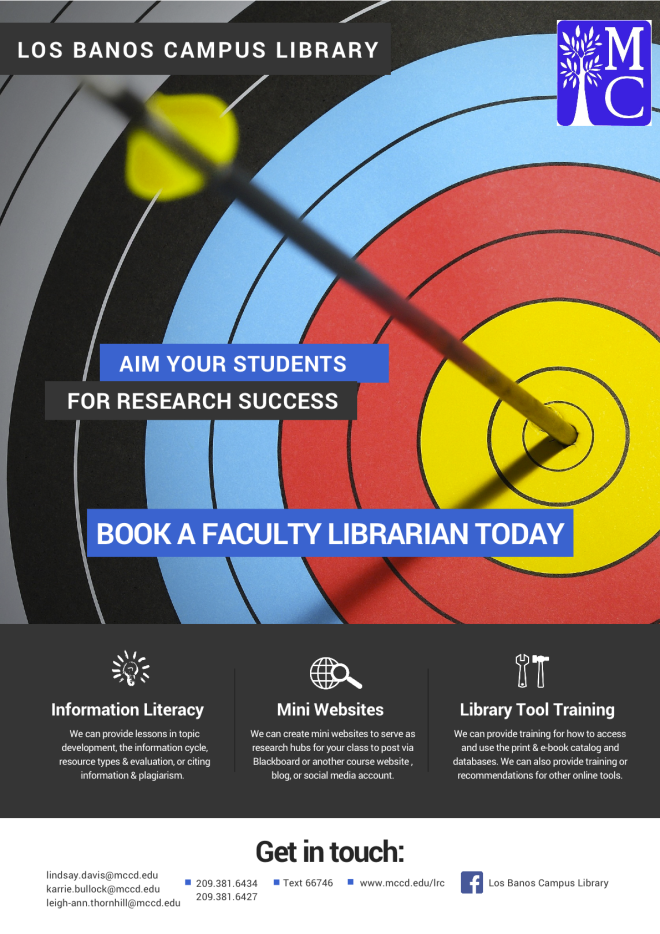
Los Banos Info Flyer (for Faculty)

Just the Highlights

Veronica Arellano Douglas's avatarLibrarian Design Share

Library informational handouts and brochures–the kind we give away at orientations, fairs, and workshops–can easily suffer from the classic librarian pitfall: TOO MUCH INFORMATION. Striking the right balance between needed information and visual interest is a challenge. Lindsay Davis, librarian at the Los Banos Campus Library at Merced College has created informational flyers for students and faculty that touch on all the library “highlights,” those crucial services and bits of information that will make the most impact with library users.

Los Banos Info Flyer (for Students) Flyer for Students

Here’s Lindsay discussing her design:

This is the beginning of my third academic year as the Los Banos Campus Librarian of Merced College, a community college located in California’s Central Valley. When I give an instructional session, I usually give out a handout that covers basic library information printed in black and white on muted yellow card stock (we only have a few color options through duplication…

View original post 283 more words

Startup Communications

I just really love the honesty in Meredith Farkas’ latest column in American Libraries. In talking about pitching an idea that didn’t take and then one that was a good fit, she reminds shiny new librarians (that means ME!): “The problem wasn’t [XYZ]; it was trying to solve problems that didn’t exist” (Farkas, 2015).

I have always been an ideas person. and I get really excited about all the library things, but the things I do have got to fit our community. I have let projects go because they don’t work, but that’s the nature of this thing–you have to keep figuring it out until you get a sense of what will work at your library. It takes time. (You have to think like a startup.)

For example, last year, to keep the library on the radar, besides my monthly email update, I was also doing a weekly feature called Tech Tuesday where I would share three apps, websites, or other technology tool. It was really time-consuming, and I never really heard back from anyone, so I stopped after a couple of months. What purpose was it serving? Was it just to keep people reminded about the Library in a non-traditional-to-them way? I realized right then that it was pointless to do this. As faculty, we are inundated with emails–committee updates, college advertisements, listservs, etc. I was just adding to the information overload problem and making myself frustrated.

Fast forward to this year. What I did for faculty and staff at the beginning of the semester (about 3 weeks in) was one big online newsletter using Smore. It was bright and colorful, and it had a hilarious video about books that parodied Mark Ronson’s/Bruno Mars’ “Uptown Funk.” I got great feedback! Our small campus also has an email newsletter called Tuesday Tidbits (it used to be called the Monday Memo) where faculty submit updates for committees on which they serve as our campus’ representatives and other relevant campus news. Our faculty lead puts it together. Since more people read that, after I did my initial newsletter and email introduction, I started supplying updates on a weekly basis to Tidbits. In my first update this semester, I also resubmitted the link to my initial online newsletter for those who may have missed it. It seems to be going a lot better doing it this way!

Our college recently started a distance education newsletter for updates related to online education. The distance education coordinator, who is also a history professor, recently asked for people to send ideas they may have for the newsletter. Since I am really into DIY visual content, I asked her if she thought a resource list for online presentation and infographic-making tools might be of value (obviously, this also has value for web-enhanced classes). I didn’t want to start off with “this is what the Library can do for you, etc.” Plus, since this is for the whole district, it’s probably not appropriate for me to do anything like that without talking to my colleagues or our temporary director! I actually would really love to write on the behalf of the Library, but my hope is that maybe the list will show that we should be writing something, perhaps on a rotational basis?

Anyway, the DE coordinator agreed! I submitted my draft last night. Distance education is the hot thing in our college district, so I suspect this might be a great place to spread the word about online library services and librarian expertise. I am hoping this can help solve our district-wide library faculty-instructional faculty communication (image?) problem. We actually do a lot of face-to-face advocating, but since there are only four of us, we only can go so far.

Hotspots

Ever since I heard about libraries in New York City and Kansas City that lend Wi-Fi hotspots, it’s been my dream to offer that to students at our small rural campus library. The September 2015 issue of American Libraries featured a two-page article about it, which reminded me about the project. You can read the article here.

However, let’s not get ahead of ourselves–I just got the funding for our tablet program, and it’s going to be quite a project. I will be working really hard with our dean, ITS at the main campus (we don’t have an actual IT person at our campus), and staff and student workers to roll it out by the beginning of the Spring 2016 term. I want to get through one term with the program in order to assess it. If it’s successful, then I feel like we can try to offer a new thing.

I know of one another college librarian on a listserv who has asked about college libraries doing this, particularly for commuter rural campuses. I got in touch with her, and she hasn’t heard from anyone yet.

I was really surprised to read that in Kansas City, MO, 70 percent of kids don’t have broadband Internet access at home (Inkleberger, 2015). The number is striking because, nationally, according to the Pew Research Center, 30 percent of households don’t have broadband access (Zickuhr, 2013). I was already planning a study of Internet access and technology devices for our small campus, and it seems even crucial that I get started because while I know a lot of our students don’t have reliable access at home, I’m not sure of the actual number. That figure is going to shape a lot of my plans and also give me the information I need to make a case for funding. I will definitely be getting in contact with our Office of Grants and Institutional Research. I happen to be a member of my college’s Institutional Review Board, so it helps that I have actually reviewed proposals.

Honestly, I have a really cool job. It’s a challenging one, but a really cool one. I feel like I am making good efforts to solve problems and help students on their educational journey.

LexisNexis Academic Webinars

This year, I am making good on my goal to actually watch webinars when they happen and/or watching the archived recording during the same week (or at least month!) I receive access to it. I have a few saved from last fall and spring semesters that I need to watch.

I participated in LexisNexis webinars at the end of August, and while I do use LexisNexis at the community college and at the university, I don’t use it a whole lot. Here are my notes for each of the webinars.

LexisNexis Academic News

  • LexisNexis Academic News has 17,000 sources.
  • LN also has broadcast transcripts and transcripts from news shows, like 60 Minutes.
  • LN also has speeches, both the transcripts as prepared, as well as transcripts as delivered (the online trainer said that President Bill Clinton was famous for straying from the prepared speech).
  • LN also has a feature that opens web news from 300 web sources.
  • Coverage varies by the source and updates also vary by source. For example, full-text NYT articles date back to 1980 and content is updated daily). The lesson here is to use the information button next to the source name for the details.
  • A note about full-text: While the articles available in the database are full-text, not all articles from a particular source may be included in the database. I knew this, but I didn’t exactly know why. One reason is that freelance articles are owned by the journalist, not the publication, so journalists can elect to have their content removed from the databases.
  • LN will find the singular, plural, and possessive forms of words in searches.
  • LN will also find equivalents, not to be confused with synonyms. For example, if you type 1st Amendment, LN will also find First Amendment. This is a really good tip when it comes to numbers in this context. A search for GOP will also bring up all versions of Republican Party.
  • Librarians love field searching. I hadn’t fully explored all the search possibilities, so searching by length was new for me. What I love about this is that it might be helpful for lower level English courses. (This kind of searching reminds me of Dialog, and I was obsessed with it. I was in library school between 2010 and 2011, and even we used Dialog. Headline searching FTW

LexisNexis Legal Research

  • I don’t think I have learned this much from one webinar before. I don’t get too many legal reference questions, but I can tell you that it’s not my strong suit. I always used LN with some trepidation, and while the students and I could find the relevant cases, I knew that I needed to know more about the legal research side in LN to get the most out of it.
  • For legal cases, you can search by citation, party, or topic.
    • Citation: You have to use the exact Blue Book citation, including the periods. The citations are composed of three parts: the first number refers to volume, the second set of letters is an abbreviation for the book or reporter, and the third number refers to the page.
    • Party: You don’t have to enter both party names, and they don’t have to be in the right order. LN will do the search. Just be aware that when doing a party name search, LN will go through short party names, as well as the full list of parties involved, which could be numerous. For example, a search for Jones v. Clinton will also pull results for completely different cases whose short party name does not have either Jones or Clinton. I used to wonder why results like this pop up, but the online trainer said that when LN does the search, it pulls matches from the full list of parties, not just the short party name. Party search looks for matches in the full list.
    • Topic: This isn’t natural searching. This search will look in the headnotes section for matches. Think of headnotes like subject searching/breadcrumbs in the legal world. Here’s how headnotes are super nifty. They tell you all the subjects/topics covered by a particular case. For example, if you look up the headnotes for Roe v. Wade, you can find that other issues besides a woman’s right to choose were involved.
  • The reason why a million things pop up when you do a party search for Supreme Court cases—everything related to a Supreme Court case gets published. This is why you get a lot of hits looking up one case.
  • LN has a handy Landmark Cases feature, which you can find near the big “search everything related to LN” search box. There is a button to the right of the large search box that says “Search by Content Type,” where you can find the Landmark Cases feature. Cases are organized by topic. This is such a useful tool for the kinds of material two-year college students need for their coursework.
  • Also under the legal section under the “Search by Content Type” button is a way to search for federal and state cases. For most student research, the online trainer says it’s best to stick to one’s jurisdiction when searching. In the Federal and State Cases Search, head to the advanced search settings. There is an option to select the specific circuit, such as the 9th Circuit Court of Appeals, as well as state, such as California.
  • One of my favorite parts of the webinar was a question the online trainer posed, emulating a reference question that is probably common, “What are all the [insert your topic] laws in California?” The easiest way is to go to the ““Search by Content Type” button,” go to the Legal heading, and then select “State Statutes and Regulations.” Under the advanced options, check box statutory code and then the state. Yay for codified law!
  • LN does not have cases related to those at the state trial level. This is because the verdict only affects the parties involved in the case. The decision does not do anything to an entire state or the nation. For these kind of cases, especially for a local issue of interest, newspaper articles are the best bet for research.
  • LN has a legal reference section! Find the “Search by Content Type” button, go to the Legal heading, and then select “Legal Reference.” Under the advanced options, you’ll find American Jurisprudence 2d, Ballentine’s Law Dictionary, Bieber’s Dictionary of Legal Abbreviations, and the Modern Dictionary for the Legal Profession.
  • At this point in the webinar, I had to talk to a faculty member, so I missed the introduction to Sheppard’s. It’s a nifty citation tool that allows you see if a case has been overturned, reaffirmed, questioned, or cited by other cases.